A week since the last post, and for the first time the circle closes: the app no longer just recognises which parts are in the pile, it also shows what you can build from them.
Model suggestions with building instructions
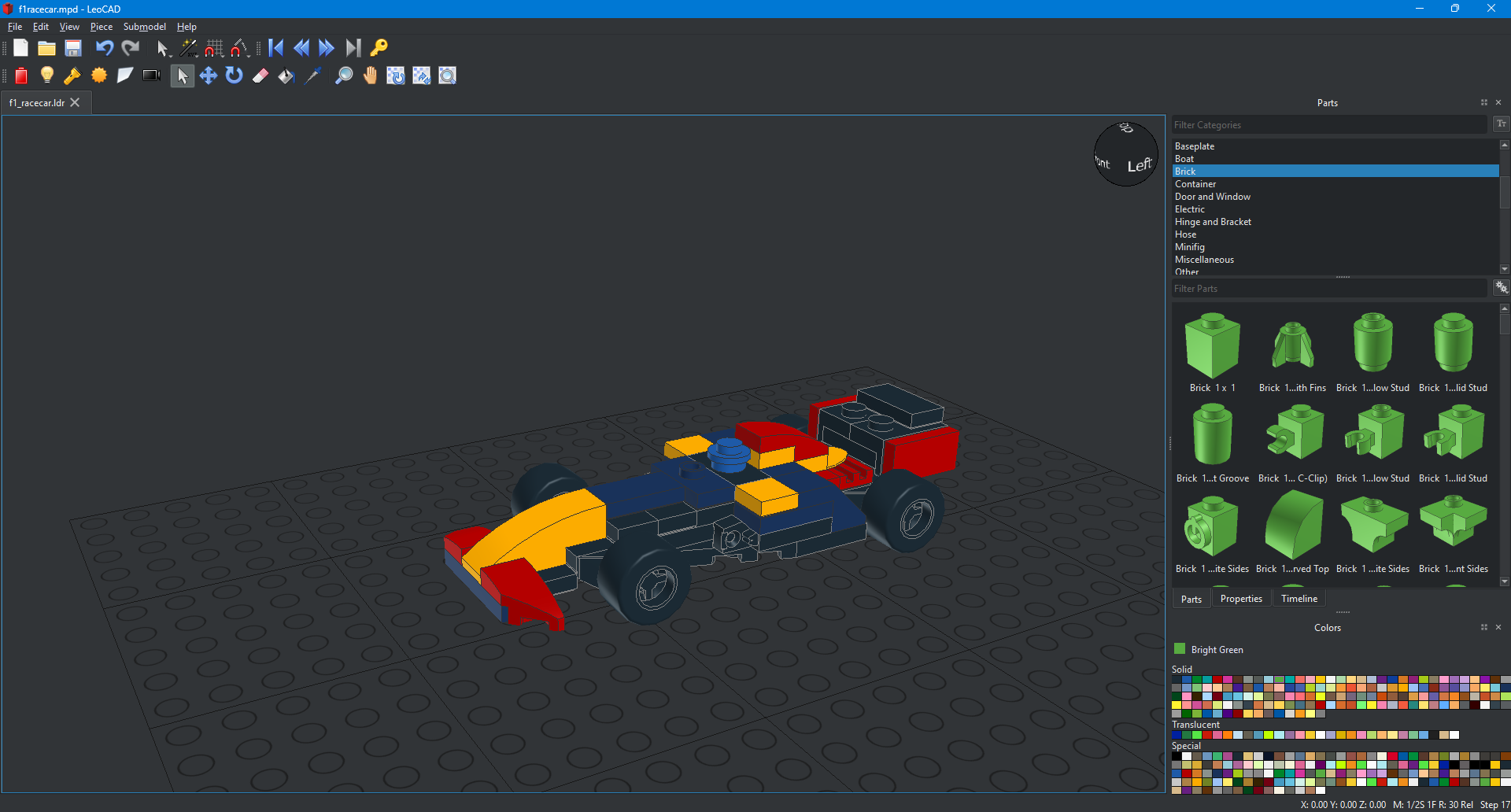
I design my own small models on the computer, in the open LDraw format, using the CAD program LeoCAD. A script turns each one into a package for the app: a parts list, an image of every building step and a thumbnail of every part. LeoCAD renders the images using the official parts library from LDraw.org. Sub-assemblies that occur several times in a model get their own section in the instructions, marked "build 2×".
After a scan, the app compares the recognised parts with the parts lists and sorts the models: fully buildable ones first, then by the share of parts available. The parts list shows what is missing. I deliberately leave colour out of the comparison: it is the least reliable stage of the recognition, and most models can be built in other colours too.
Right now there are six designs, among them a small plane, two race cars and several spaceships. Some of their parts are not yet known to the recognition. They are marked in the parts list, and every new model adds to the list of parts that should go into the catalogue next.
Since today the app has buttons to switch between Capture and Instructions. So you can jump into the instructions in the middle of a capture and back without losing anything. New models are meant to reach the phone without a new app version, e.g. as a ZIP file that is imported into the app.
Telling identical parts apart
The app photographs each pile from three angles and works out which cut-outs belong to the same physical part. With several identical copies this went wrong: the matching relied on the most similar cut-outs, and with identical parts "most similar" is pure chance. In three test scenes, copies got mixed up wildly.
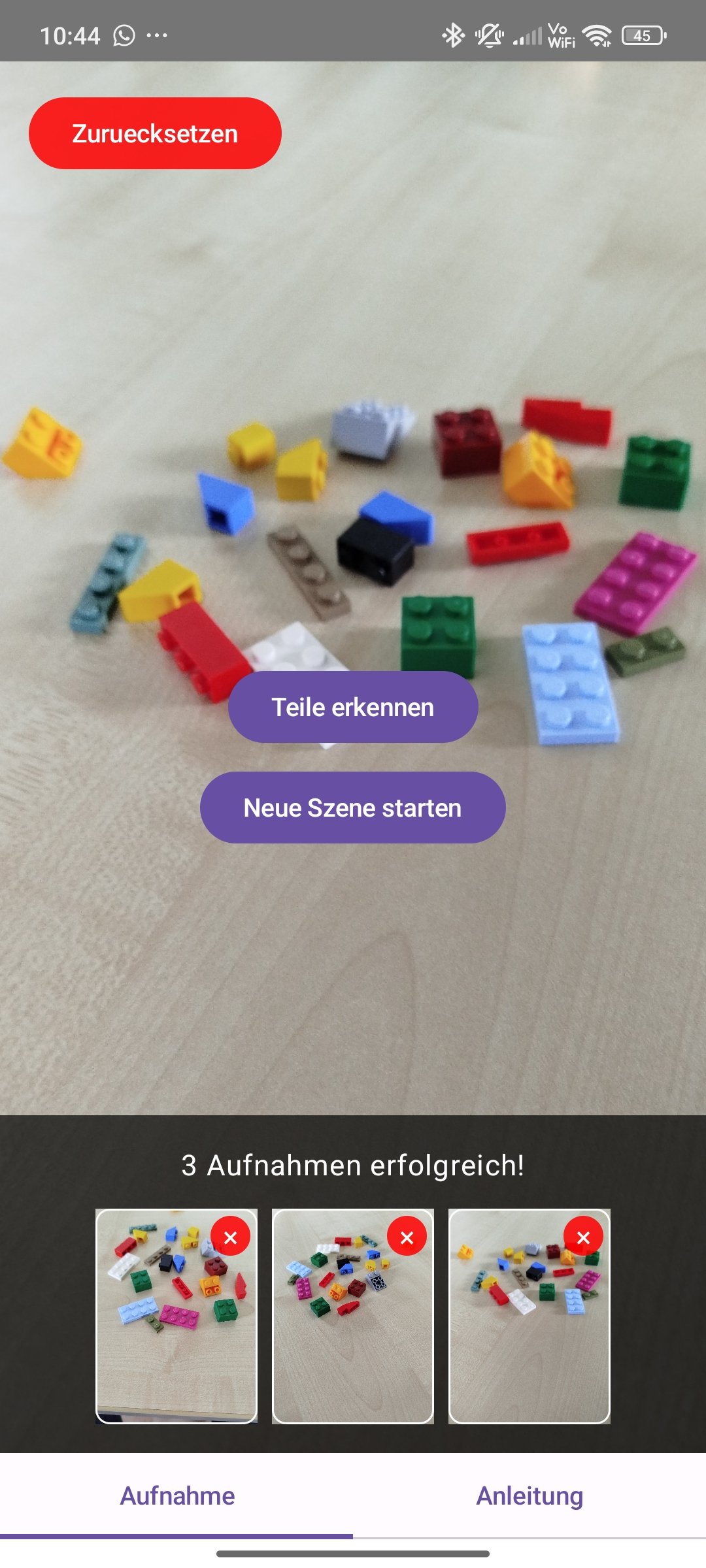
It now considers several candidates per cut-out and only accepts plausible mappings between the views. In the three problem scenes the matching is now exact. Across all 21 checked scenes the matching score rose from 92 to 98 %, and no scene got worse.
A second pitfall was different backgrounds (e.g. the colour of the table). On a black background the measured colour of the same part varies much more from view to view, and a colour limit that was too strict split views that belong together. In three dense scenes with 30 parts each, the app found 35 to 38 objects. With a relaxed limit it finds 31 to 32.
Real photos from Gdańsk
For the recognition model I use a freely available dataset of part photos. It contains more than 28,000 photos of 123 parts from my catalogue. With 6,000 of them in the training, recognition on the black table rose from 52 to 83 % of the views. On the other test scenes little changed, recognition there was already good.
The effect on new parts matters more. When the app knows a part only from renders, it recognised 8 out of 24 objects in one experiment, and 14 out of 24 with 60 real photos per part in the catalogue. So the catalogue now tops up every part with such photos. A newly added part benefits before I have photographed it myself.
Retraining now runs at the push of a button in my review tool on the PC. A new model is only adopted if it does at least as well as the current one on seven held-back test scenes with 126 objects. The very first run failed that check, even though the training metric looked better.
Smaller app, shorter wait
The app was too big and too hungry. With a release build only for today's 64-bit phones and models in a more compact number format (INT8), the installation file shrank from 525 to 213 MB. Memory after start-up dropped from about 850 to 334 MB, so the target of below 400 MB is reached. The models are now read directly from the installation file instead of being copied into memory first.
On computing time, today brought two insights:
- The test phone has four fast and four power-saving processor cores. The recognition ran with six threads and split every computation step evenly. If part of the work landed on a power-saving core, all the others waited for it. The same photo took 17 seconds one time and 37 the next. With exactly four threads it is a steady 13 seconds.
- Each photo is now analysed in the background right after it is taken. The first one is already running while you photograph the second and third view.
Together with a screen that no longer switches off during the analysis (which slowed the app down), the wait after tapping "recognise parts" dropped from 72 to 86 seconds to 48.
Next steps
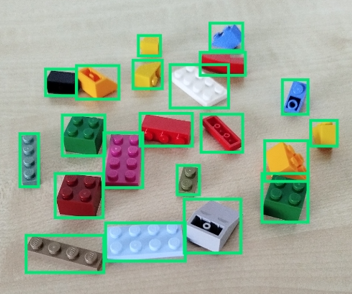
48 seconds is still far from my goal. Most of it goes to segmentation, at 13 seconds per photo. I had already tried converting the model fully to INT8 - on the PC that was ten times slower. That leaves smaller input images or a leaner model, and both have to be weighed against recognition quality. Alongside that, the parts of the new models go into the catalogue.